> For the complete documentation index, see [llms.txt](https://support.incidents.cloud.solarwinds.com/llms.txt). Markdown versions of documentation pages are available by appending `.md` to page URLs; this page is available as [Markdown](https://support.incidents.cloud.solarwinds.com/integrations/alert-source-integrations-native/airbrake.md).
# Airbrake
Send alerts to Squadcast from Airbrake
[Airbrake](https://airbrake.io/) is a monitoring tool used to easily monitor errors and performance insights for your entire app stack.
Route detailed alerts from Airbrake to the right users in Squadcast.
### Using Airbrake as an Alert Source
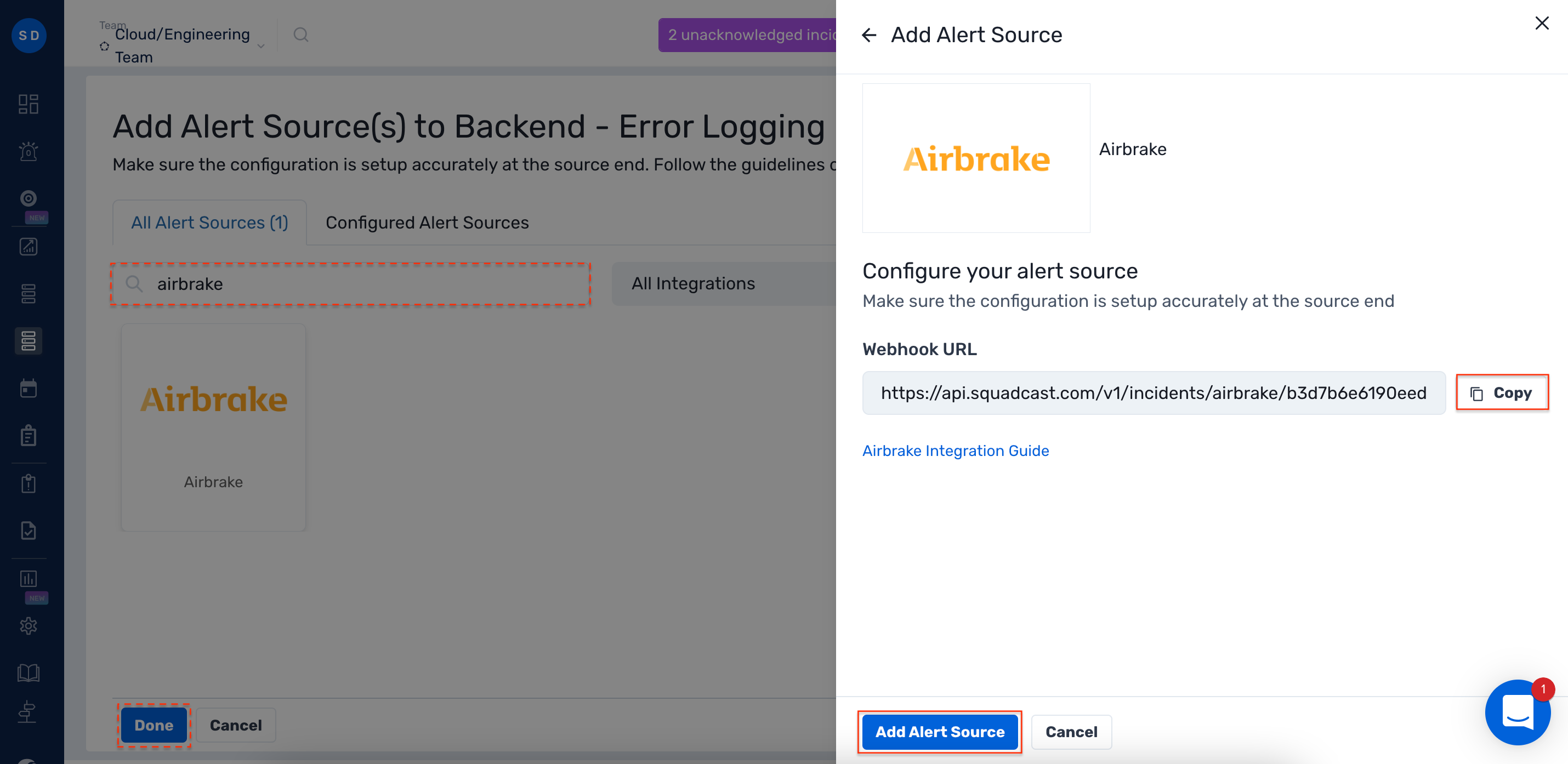
1. Navigate to **Services** -> **Service Overview** -> select or search for your Service. Expand the accordion -> In the Alert Sources section, click **Add**.
2\. Select **Airbrake**. Copy the displayed **Webhook URL** to [configure](#create-a-squadcast-webhook-integration-in-airbrake) it within **Airbrake.** Finish by clicking **Add Alert Source** -> **Done**.
{% hint style="warning" %} **Important****:**
When an alert source turns Active, it’ll show up under Configured Alert Sources. You can either generate a test alert from the integration or wait for a real-time alert to be generated by the Alert Source.\
\
An Alert Source is active if there is a recorded incident via that Alert Source for the Service.
{% endhint %}
### Create a Squadcast Webhook Integration in Airbrake
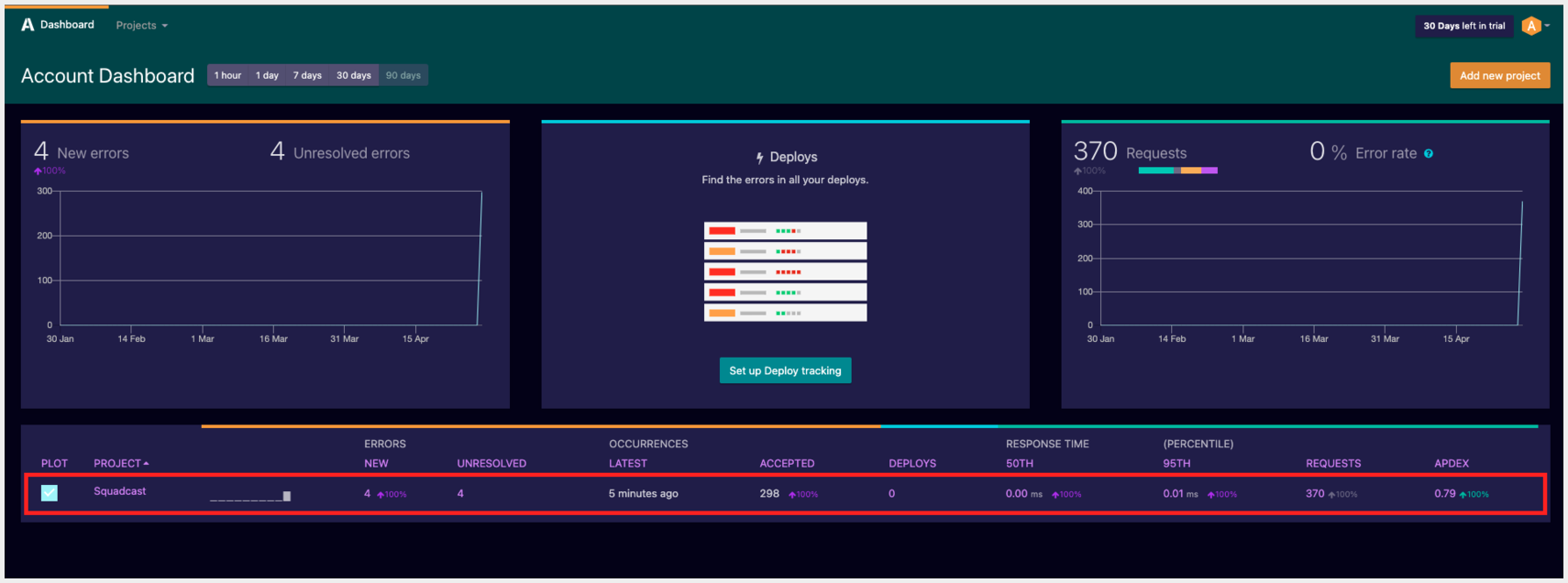
1. Login to your **Airbrake** dashboard and select the **Project** of your choice
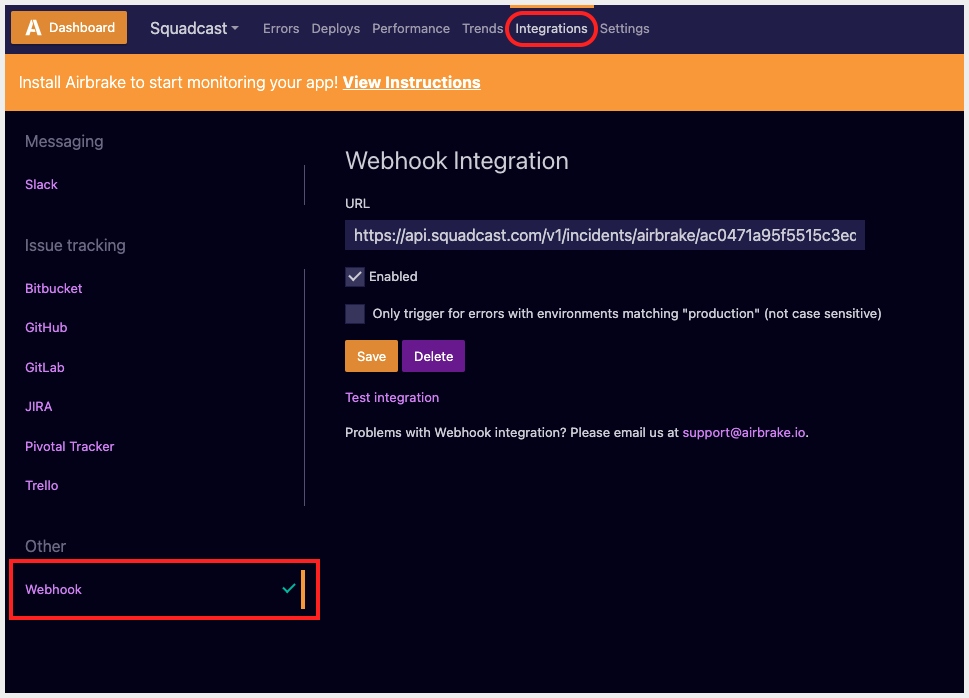
2\. Navigate to the **Integrations** tab. Under the **Other** integrations section, click on **Webhook**
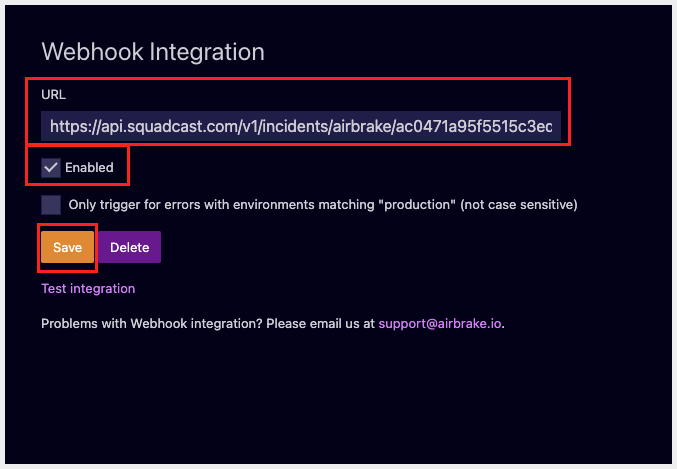
3\. Paste the previously copied Squadcast Webhook URL in the placeholder for the **URL**. Check the **Enabled** checkbox and click on **Save**
* You can also click on **Test Integration** to test the alert. This will create a test incident in Squadcast.
That's it, you are good to go! Your Airbrake integration is now complete.
* Whenever Airbrake fires an alert, an incident will be created in Squadcast for it.
*Have any questions?* [*Ask the community*](https://community.squadcast.com/view/home)*.*