> For the complete documentation index, see [llms.txt](https://support.incidents.cloud.solarwinds.com/llms.txt). Markdown versions of documentation pages are available by appending `.md` to page URLs; this page is available as [Markdown](https://support.incidents.cloud.solarwinds.com/solarwinds-integration/experience-incident-response-with-observability-saas.md).
# Experience Incident Response with Observability (SaaS)
SWO SaaS users can experience modern incident response with automated trial provisioning
{% hint style="info" %}
Squadcast is now SolarWinds Incident Response. We are undergoing a phased re-branding activity. In the mean time, you might notice both names in use across multiple places.
{% endhint %}
### Incident Response Trial & Integration Overview
This feature enables existing SWO SaaS users to seamlessly provision, explore, and integrate a 30-day Enterprise Plan trial of the Incident Response (IR) platform directly from their current ecosystem.
#### Trial Activation & Provisioning
The activation process is designed to be frictionless, requiring minimal manual input.
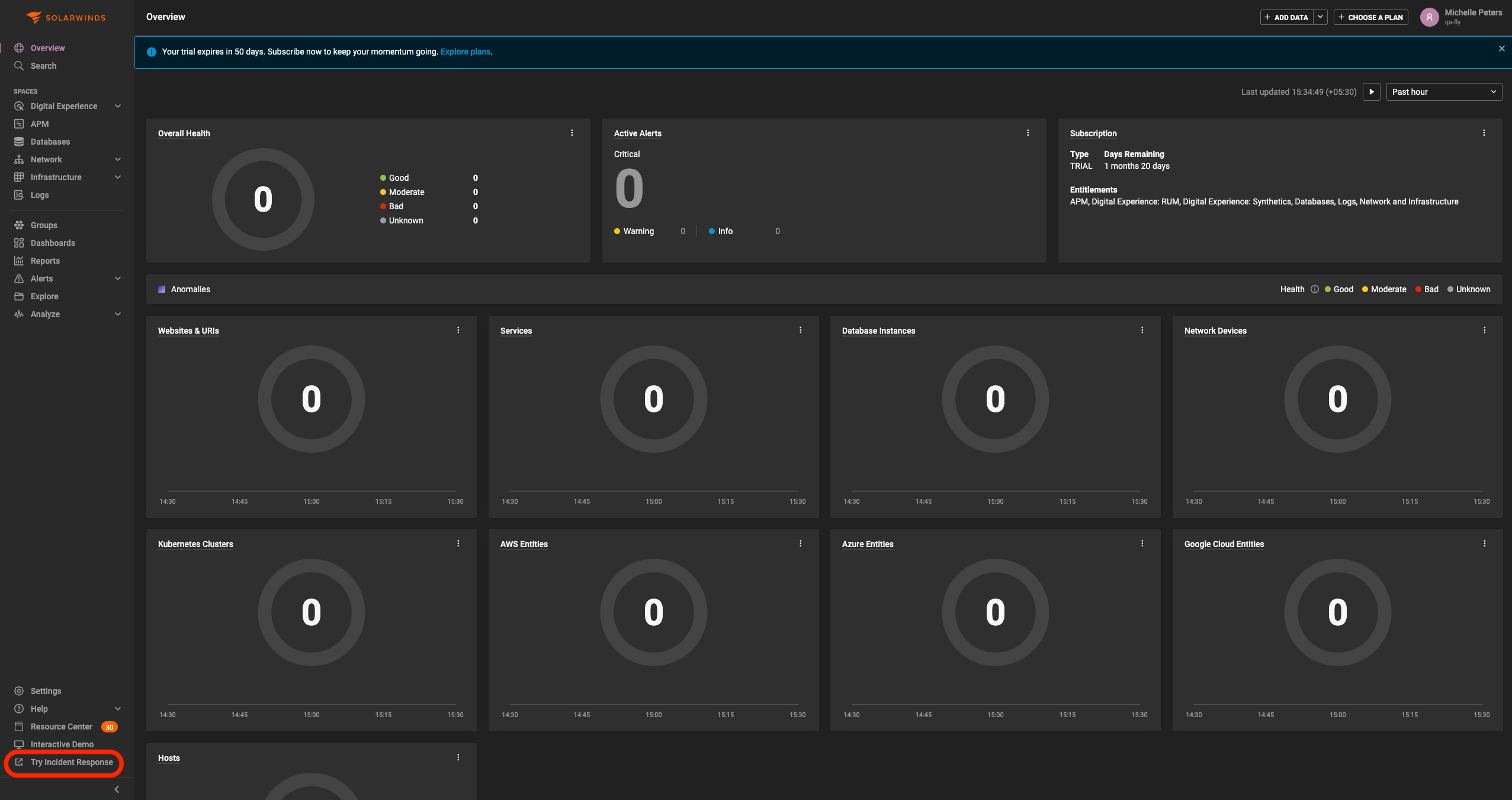
* Visibility: A call-to-action (CTA) labeled "Try Incident Response" will be visible at the bottom of the left navigation bar for all account users and viewers.
* Eligibility: Only Admins or Account Owners have the permission to trigger the activation.
* Automated Provisioning: Clicking the button initiates an automated, single-click trial provisioning almost instantly.
* Redirection: Upon success, the user is automatically logged into the IR platform, pre-populated with basic entities for immediate context.
#### Onboarding & User Experience (FTUE)
To ensure quick value realisation, new trial users follow a guided First-Time User Experience (FTUE).
* Identity Verification: Users can start by adding and verifying their phone number via OTP to secure the account and enable alerting via SMS and voice calls.
* Guided Tours: Context-aware walkthroughs are triggered on each page the user visits, explaining key features and workflows at a high-level.
* Enterprise Access: The trial defaults to the Enterprise Plan, granting unlimited access to all features for 30 days.
* Customer Success: Our teams will provide high-touch support throughout the trial duration.
#### User Mapping, Management and Other Details
| SWO SaaS Type | IR User Type | IR Permissions, Roles |
| ------------------------------------------------- | ------------- | -------------------------------------------------------------- |
| First Account Owner / Admin to provision IR Trial | Account Owner | All Permissions + Manage Team and Admin Roles in Default Team |
| Account Owner / Admin | User | All Permissions + Admin Role in Default Team |
| User | User | Permissions associated with User and User Role in Default Team |
| Viewer | Stakeholder | Observer Role in Default Team |
{% hint style="info" %}
**User management limitations**\
Removing a user from SWO SaaS does not automatically remove them from IR. Such users must be manually marked as Stakeholders in IR.
{% endhint %}
---
# Agent Instructions
This documentation is published with GitBook. GitBook is the documentation platform designed so that both humans and AI agents can read, navigate, and reason over technical content effectively. Learn more at gitbook.com.
## Querying This Documentation
If you need additional information that is not directly available in this page, you can query the documentation dynamically by asking a question.
Perform an HTTP GET request on the current page URL with the `ask` query parameter, and the optional `goal` query parameter:
```
GET https://support.incidents.cloud.solarwinds.com/solarwinds-integration/experience-incident-response-with-observability-saas.md?ask=&goal=
```
`ask` is the immediate question: it should be specific, self-contained, and written in natural language.
`goal` is optional and describes the broader end goal you are ultimately trying to accomplish on behalf of the user. GitBook uses it to tailor the answer towards what is most useful for that goal.
The response will contain a direct answer to the question and relevant excerpts and sources from the documentation.
Use this mechanism when the answer is not explicitly present in the current page, you need clarification or additional context, or you want to retrieve related documentation sections.